See also AutoId Overview
To add cuts to the AUTOID rotation, do this...
Load the library by clicking on the LIBRARY button at the foot of DPS.
Automation menu -> set up auto ids:
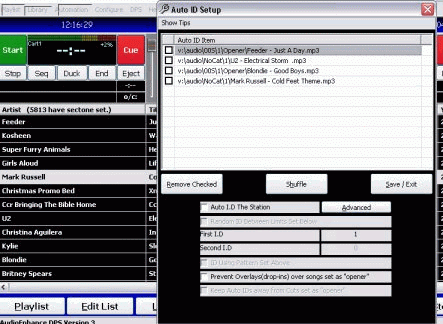
To add to the id rotation, simply drag an item from the DPS library into the AutoID list. You will also see options to remove/shuffle/etc
**TIP** - search and sort the library BEFORE loading the auto id screem, so that the cuts you want in auto id are visible in the library first.
If you wish to use AutoID , you must ensure "AutoID the station" is checked.
The autoid interval (ie how many items play before the next AutoID) is specified in the First ID field. Second ID is no longer supported.