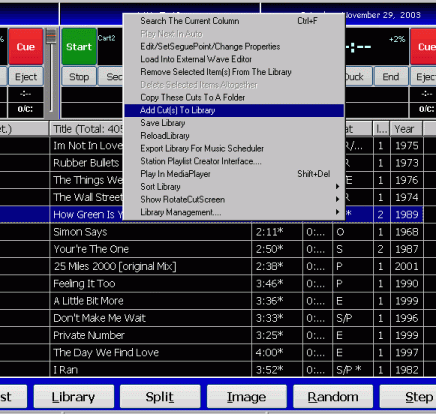
To Add cuts to the Library:
Right click in the middle of screen and highlight as above. The box below comes up. Select on the left side the directory where the songs are held.
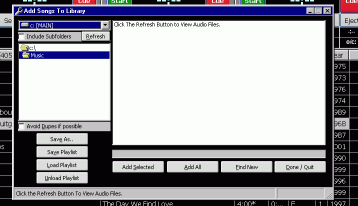
Double clicking the directory link will bring up all the items in the directory
You may optionally select "include subfolders"
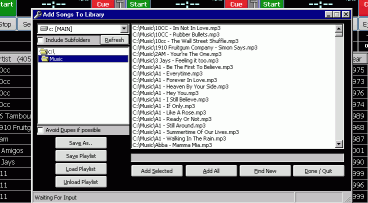
Then click on Find new
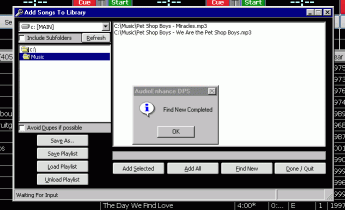
The program will then compare files found in the directory with those already in Library and display those that are new. These can then be added by using Add all button or they can be selected individually by holding the shift OR Control key and clicking on the ones required. When selected click on Add selected.
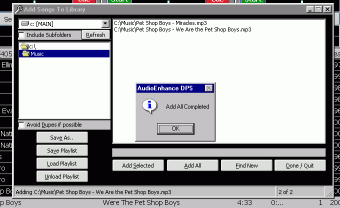
and complete this part of operation by clicking on ok followed by Done / Quit.
The selected cuts will then be added into the start of the Library (if new) or added to the bottom of an existing one.
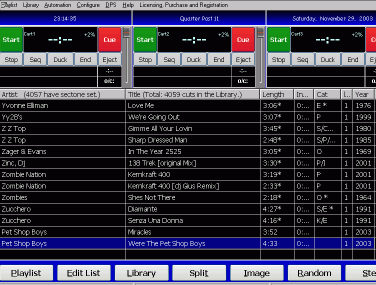
The new cuts will have part of the Library information already added taken from the file name and length of track. The year maybe added if this was available when song was converted from cd or otherwise acquired.
The next task is to add data to the track to enable DPS to handle it correctly. this is invoked by highlighting the next track and hit enter or to double click with mouse pointer. see Edit Player